Home
Home  Navigation


Unlock Epic Rewards in Trails of Cold Steel: NW with Exclusive Redeem Codes!
Embark on your adventure in Trails of Cold Steel: NW with these exclusive redeem codes, granting you valuable in-game rewards to enhance your experience. These codes unlock free items to help you conquer the game's challenges and intricate storylines. Learn how to redeem them below and maximize your gameplay.
Active Trails of Cold Steel: NW Redeem Codes:
19dbba639314– Discord Special Avatar Border76eec4945a8b– 1000 Water Sepith, 1 Gacha Ticket, and 1 Attribute Quartz14a78d10438d– 1000 Earth Sepith, 1 Attribute Gacha Ticket, and 1 Attribute Quartz3072b663314d– 1000 Fire Sepith, 1 Gacha Ticket, and 1 Attribute Quartz9f55c3627a25– 1000 Wind Sepith, 1 Attribute Gacha Ticket, and 1 Attribute Quartz40fd5014c8ed– 1000 Time Sepith, 1 Gacha Ticket, and 1 Attribute Quartzb54042091416– 1000 Space Sepith, 1 Attribute Gacha Ticket, and 1 Attribute Quartz
Redeeming Your Codes in Trails of Cold Steel: NW:
Follow these steps to redeem your codes:
- Launch the game.
- Progress through the initial stages until you reach level 2, stage 4. This unlocks access to the in-game menu.
- Locate your profile avatar in the top-left corner of the screen.
- Enter your code and select the "Exchange" button.
- Your rewards will be delivered to your in-game mailbox.
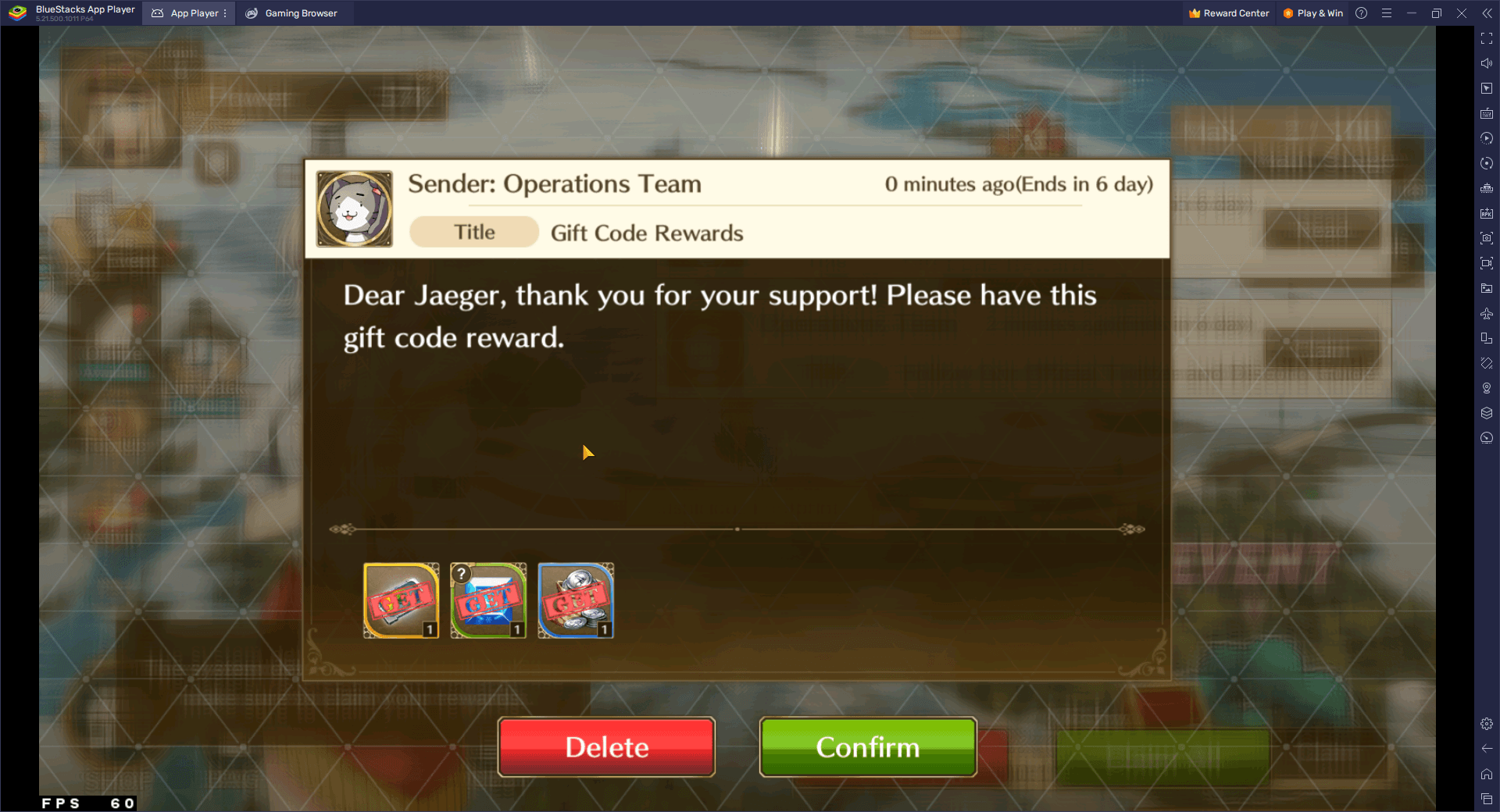
Troubleshooting Redeem Codes:
- Accuracy is Key: Ensure you enter the codes precisely as shown, including capitalization and special characters.
- Time Sensitivity: Redeem codes promptly, as they may have expiration dates.
- Single Use: Most codes are for one-time use per account only.
- Error Checking: Double-check for typos, extra spaces, or other input errors.
- Enhanced Gameplay: For an optimized experience, play Trails of Cold Steel: NW on PC or laptop using the BlueStacks emulator. Enjoy smoother gameplay with higher FPS on a larger screen.
 Latest Articles









 Latest Games