 Home
Home  Navigation


bimmer-tool Lite
Category:Auto & Vehicles Size:10.5 MB Version:3.7.6
Developer:bimmer-tool Rate:4.0 Update:Apr 21,2025
 Application Description
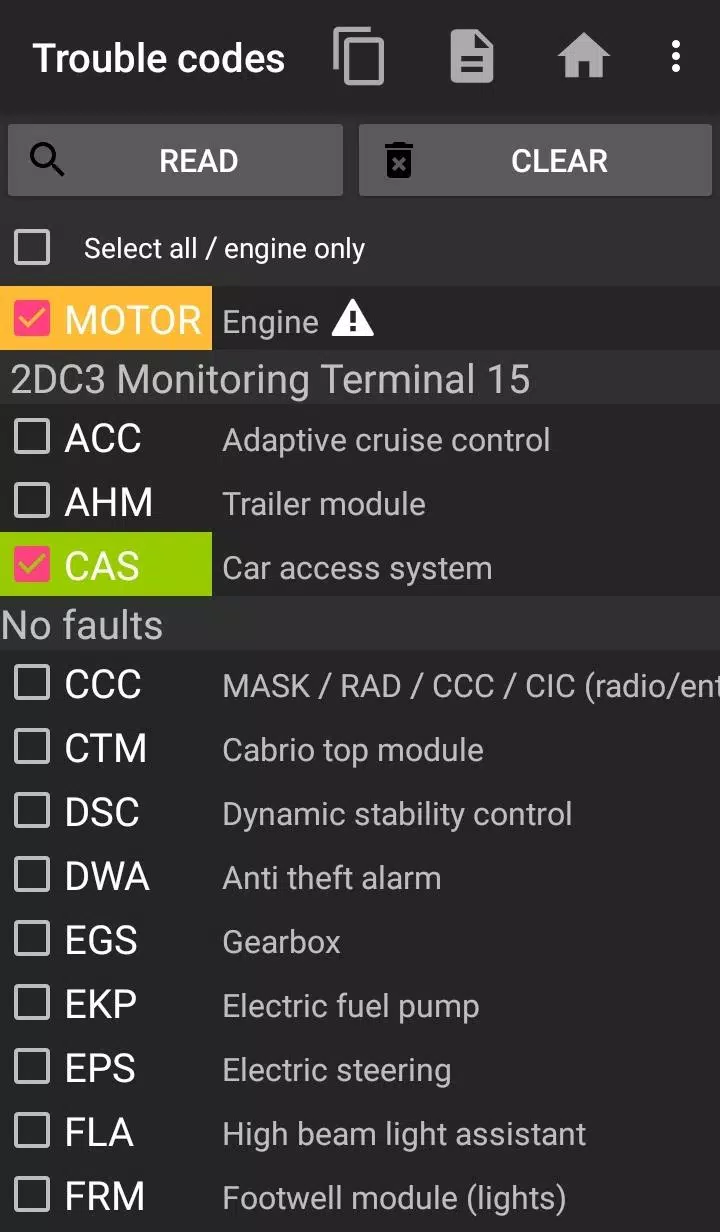
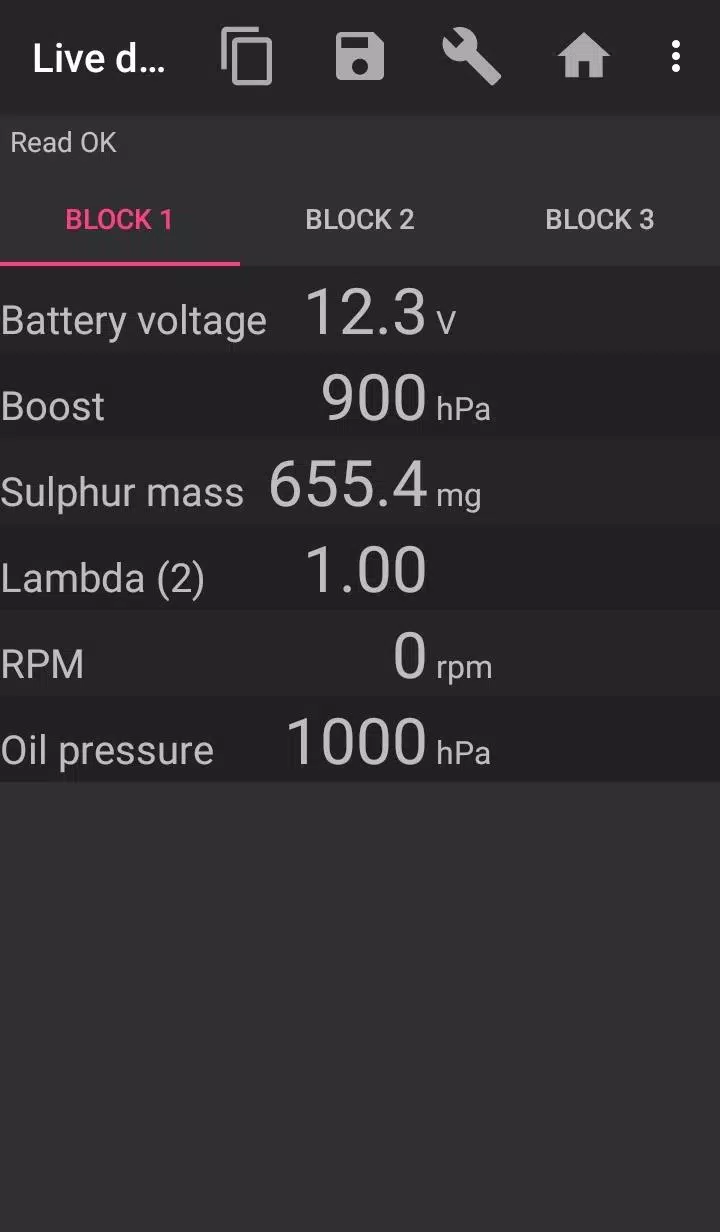
Diagnose and resolve issues in your BMW with the bimmer-tool app. This powerful tool allows you to read and clear fault codes, initiate DPF regeneration, access live engine data, and much more. While highly effective for most BMW models, functionality is somewhat limited for vehicles manufactured before 2008, with a K+DCan USB cable connection strongly recommended for optimal performance in these older models. Wireless ELM adapter connectivity might be unreliable or offer incomplete functionality for pre-2008 vehicles.
Important: A reliable OBD adapter is essential. We recommend the following:
- Vgate vLinker MC/FS/BM/FD: https://www.vgatemall.com/products/
- UniCarScan UCSI-2000/USCI-2100 (Set D-Can mode to MODE2): https://www.wgsoft.de/shop/obd-2-komplettsysteme/unicarscan/114/unicarscan-ucsi-2000-diagnoseadapter or https://www.bmdiag.co.uk/unicarscan-ucsi-2000-bluetooth-obd2-adapter
- Carista: https://caristaapp.com/adapter
- Veepeak OBDCheck BLE: https://www.veepeak.com/product/obdcheck-ble
App Capabilities:
- Retrieve DPF regeneration status and detailed information.
- Initiate DPF regeneration.
- Reset DPF adaptation values (post-filter replacement).
- Read exhaust back pressure.
- Read injector adjustments.
- Read actual and expected values for air mass, intake manifold pressure, and fuel pressure.
- Log data to CSV for analysis.
- Register battery replacement (without altering battery properties).
- Reset lamp circuits blocked by short-circuit errors.
- Reset oil/brake service and change intervals.**
Supported OBD Adapters:
- K+D-Can USB (Recommended; requires USB-OTG cable)
- ENET cable/WiFi Adapter (Recommended for F & G series; requires USB-C to Ethernet adapter)
- ELM327 Bluetooth (May be slower; only genuine ELM327 or PIC18-based adapters are compatible. May not work with older engines.)
- ELM327 WiFi (May be less stable; mobile data may need to be disabled.)
Quick Start Guide:
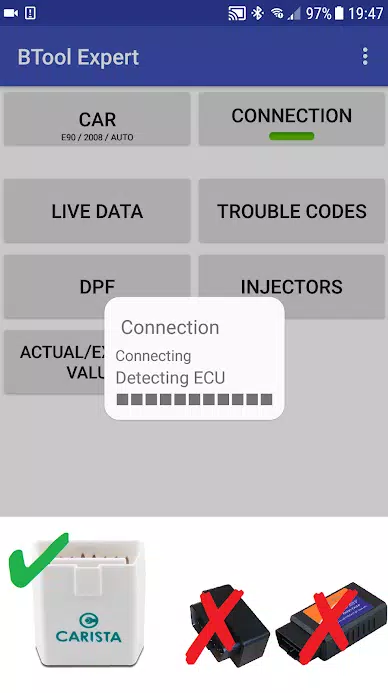
- Connect adapter to the OBD II port.
- Turn the ignition on.
- Connect the adapter to your phone (USB, Bluetooth, or WiFi).
- Launch the app, select your car's model and year.
- Choose your connection type, adapter type, and communication protocol.
- Tap "Connect".
**Limitations:** For models before 2008 and e46/e39/e83/e53, a K+DCan cable is required, and only the engine ECU is supported. Wireless ELM adapter connection may be impossible.
Common Problems:
- "No response" error (pre-2007 vehicles with BT/WiFi adapter): Try selecting the ATWM option in advanced connection settings.
- No connection: Force stop all diagnostic apps (including bimmer-tool) or restart your phone.
Permissions: Storage (USB adapters), Photos/Media/Files (CSV creation), Bluetooth access, Full network access (WiFi adapters).
What's New in Version 3.7.6-L (Nov 10, 2024)
Diesel idle speed adjustment and throttle body control.
Screenshot
 Reviews
Post Comments
Apps like bimmer-tool Lite
Reviews
Post Comments
Apps like bimmer-tool Lite
-
 My RenaultDownload
1.8.7 / 70.3 MB
-
 Carbon DriveDownload
2.7.8 / 81.7 MB
-
 Powerzone KonnektDownload
1.0.1 / 39.9 MB
-
 StarLine KeyDownload
2.7 / 11.0 MB
Latest Articles
-

DC: Dark Legion™ delivers an action-driven strategic experience set within the vast DC Universe, enabling players to assemble legendary heroes and villains for epic confrontations against powerful adversaries. Created by KingsGroup, this mobile title
Author : Connor View All
-
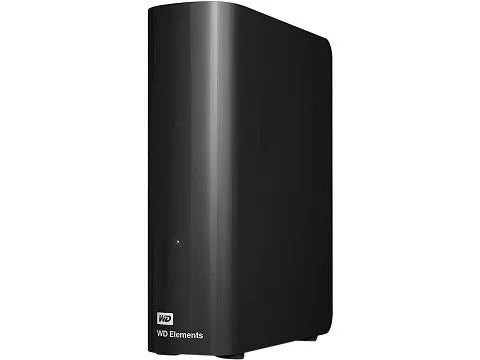
If you're searching for affordable high-capacity local storage, this WD Elements drive offers exceptional value. Currently on sale at Amazon for $199.99 with free shipping (just $14.29 per TB), this 14TB USB 3.0 desktop hard drive ships directly from
Author : Aaron View All
-

Clair Obscur: Expedition 33 secures 12 nominations across 10 categories at The Game Awards 2025! Continue reading to discover the details behind Expedition 33’s recognition at this year's awards.The Game Awards Nominations Have Been AnnouncedExpediti
Author : Hannah View All
Topics

Stay up-to-date on all the latest sports news and scores with our curated collection of top-rated mobile apps! Whether you're a football fanatic, basketball buff, or tennis aficionado, we've got you covered. Download and enjoy games like MYFM - Online Football Manager, Super Soccer - 3V3, Hot Dunk Basketball, Synchronized Swimming, Rocket Car Ball, Tennis Clash, Tennis World Open 2023 - Sport Mod, Head Soccer, Mobile Soccer League 2024, and Mini Tennis. Find your favorite sport and dive into the action! This page features a selection of the best sports apps for Android and iOS, offering a mix of realistic simulations and fun arcade-style games. Discover your next favorite sports app today!






 Latest Apps
-
Tools v1.1.9 / 141.53M
-
Video Players & Editors v1.0.2 / 16.60M
-
Video Players & Editors v1.0.1 / 7.13M
-
 Sweet Selfie: AI Camera Editor
Photography v5.5.1637 / 128.48M
-
Video Players & Editors v2.0.2 / 19.27M



 Trending apps





 Top News


- Top Free Fire Characters 2025: Ultimate Guide Apr 16,2025
- Best Weapons in Assassin’s Creed Shadows Mar 22,2025
- "Mastering Nerscylla: Capture Strategies in Monster Hunter Wilds" Apr 20,2025
- Help the Outcasts and Misfits in the Next Albion Online Update, the Rogue Frontier! Jan 09,2025
- Horror Game 'The Coma 2' Plunges Players into Spooky Dimension Dec 10,2024
- Metaphor & the Silent Hero: DQ Creators Talk RPG Trends Jun 19,2022
- Time to return to the screen: Movies you missed in 2024 Jan 05,2025
- Viking Survival Colony Emerges in Vinland Tales Dec 26,2024
