 Home
Home  Navigation



FreeStyle LibreLink - BR
Category:Medical Size:37.9 MB Version:2.11.2
Developer:Abbott Diabetes Care Inc. Rate:4.1 Update:May 04,2025
 Application Description
For those managing diabetes, the FreeStyle LibreLink app offers a convenient way to monitor your glucose levels with the FreeStyle Libre and FreeStyle Libre 2 system sensors. With the FreeStyle Libre 2, you can benefit from automatic glucose readings updated every minute directly in the app, ensuring you stay on top of your levels seamlessly. Additionally, you'll receive timely alarms when your glucose levels are too low or too high, providing an extra layer of safety and control over your health.
Using the FreeStyle LibreLink app, you can:
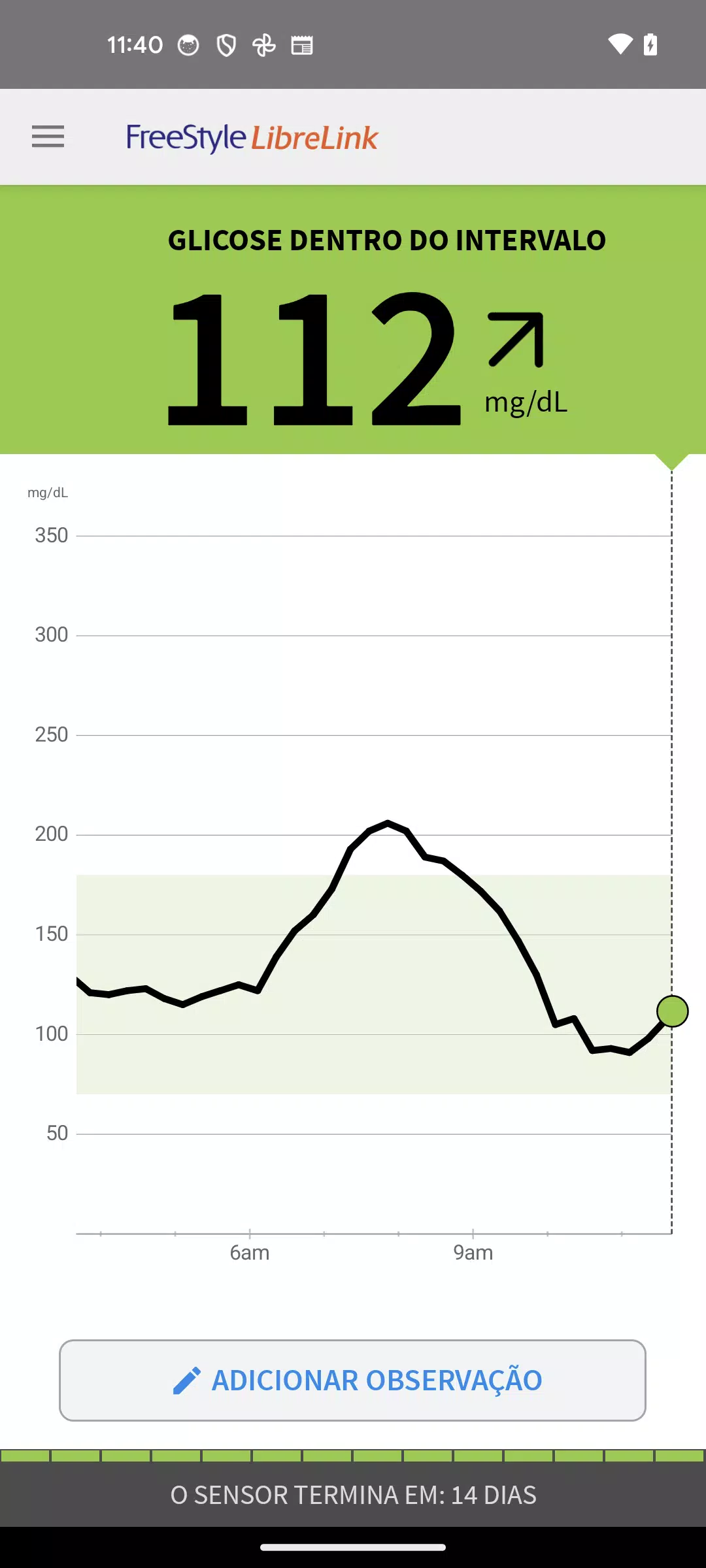
- View your current glucose level, trend arrow, and historical glucose data, giving you a comprehensive overview of your glucose patterns.
- Set up low or high glucose alarms with the FreeStyle Libre 2 system sensors for immediate alerts.
- Add notes to track your food intake, insulin doses, and exercise routines, which can help you correlate these factors with your glucose levels.
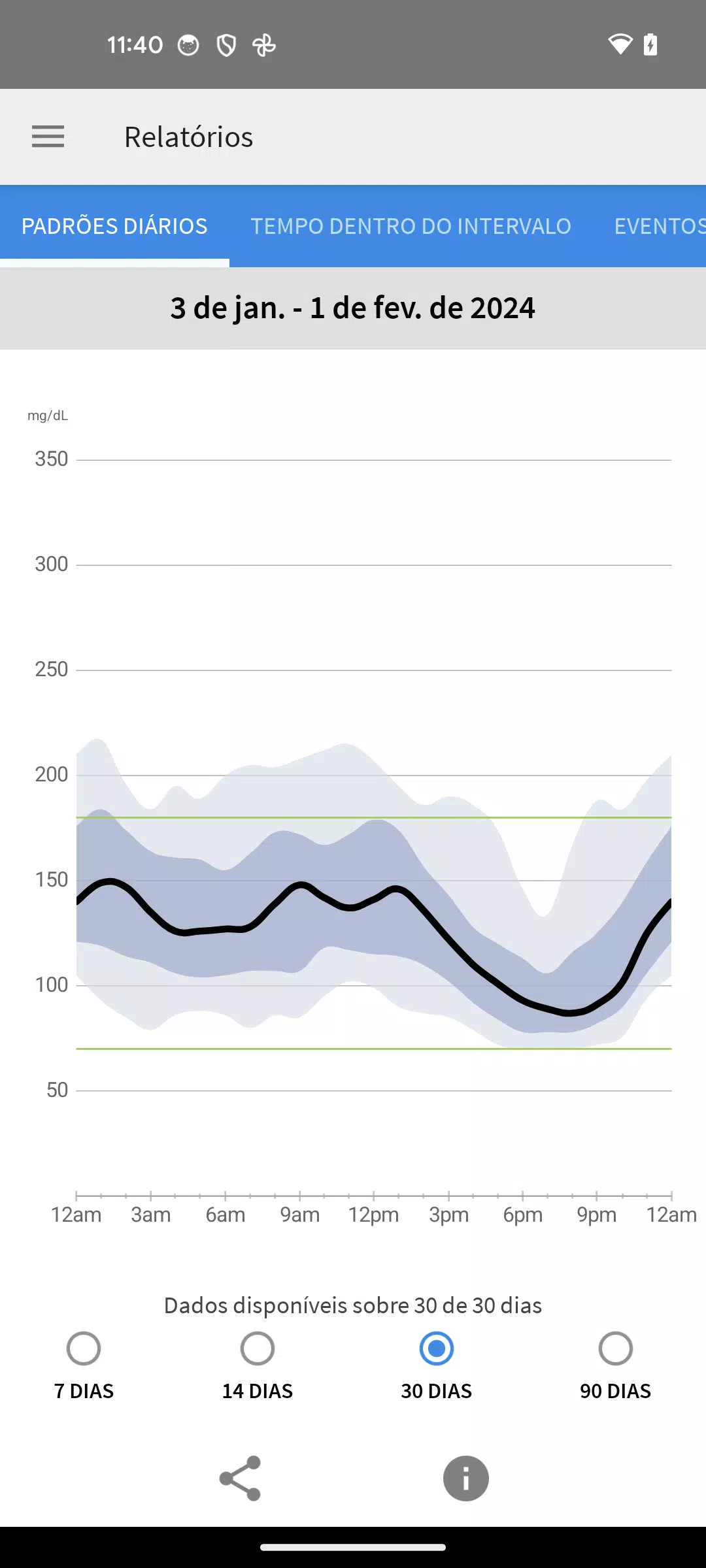
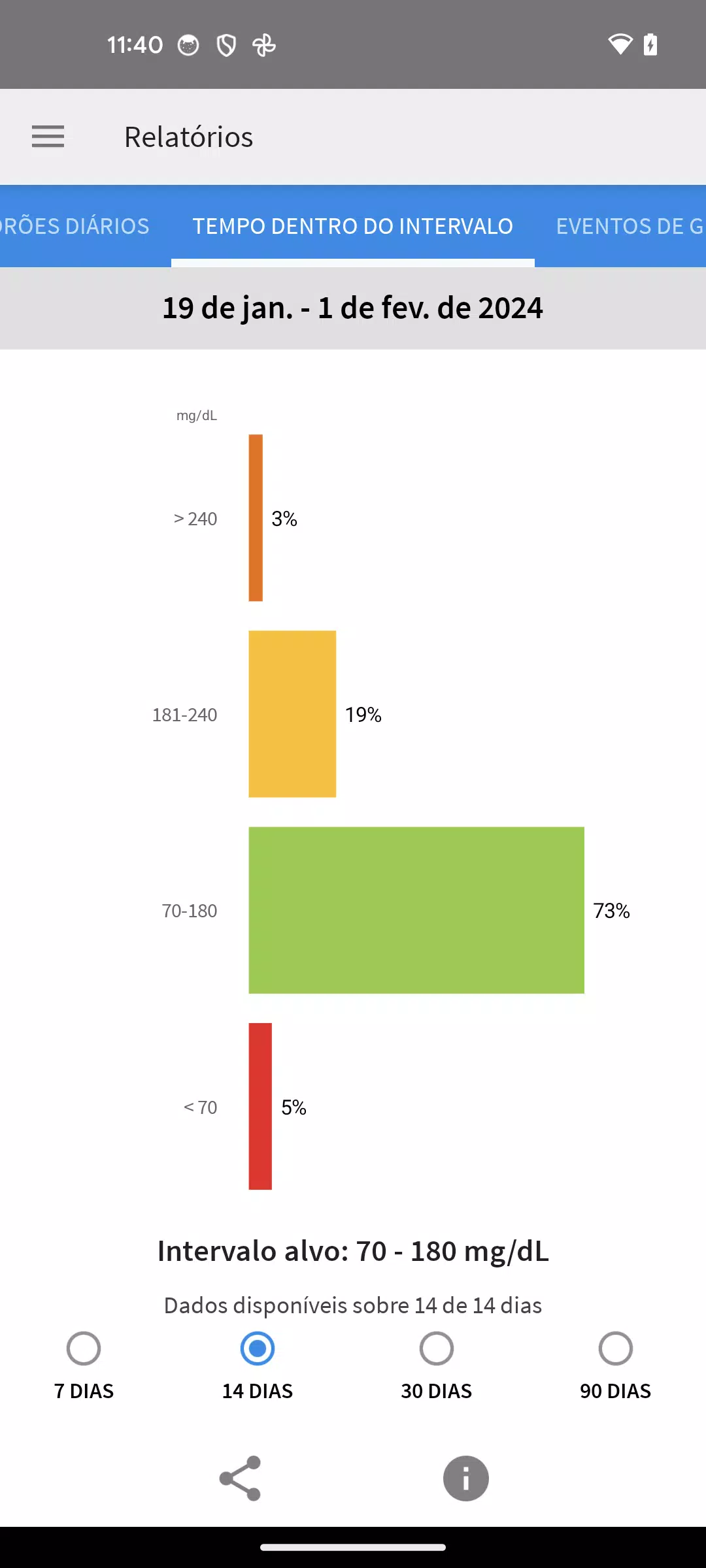
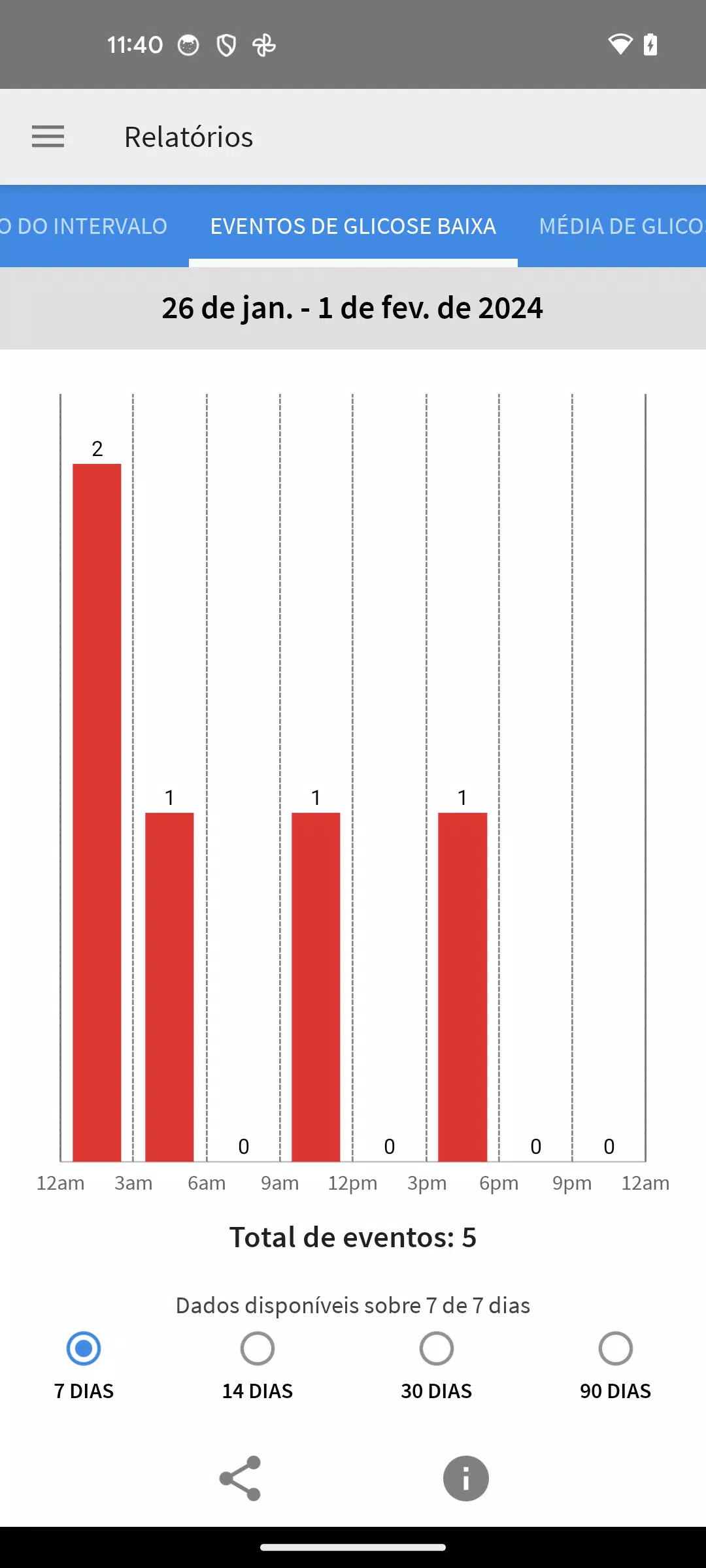
- Access detailed reports like Time in Range and Daily Patterns to gain insights into your glucose management.
- Share your glucose data with your healthcare provider and family, with your consent, for better collaborative care.
The app's compatibility may vary based on your smartphone and its operating system. To ensure your device is compatible, visit FreeStyleLibre.com.
If you use both the app and the FreeStyle Libre 2 reader with the same sensor, remember that alarms will only be issued on one device at a time. To get alarms on your smartphone, start the sensor using the app; for alarms on the reader, initiate the sensor with the reader. After starting with the reader, you can still scan the sensor with your phone. Keep in mind, the app and reader do not share data directly, so to ensure comprehensive data, scan the sensor every 8 hours with the device you're using. You can upload and view all your data at LibreView.com.
The FreeStyle LibreLink app is designed specifically for measuring glucose levels in people with diabetes when paired with the appropriate sensor. For detailed instructions on using the app, refer to the User Manual accessible within the app. If you need a printed copy, reach out to Abbott Diabetes Care Customer Support.
Before using this product, consult with a healthcare professional to determine if it's suitable for your needs and to address any questions regarding its use in managing your treatment.
For more information, visit FreeStyleLibre.com.
Please note that using the FreeStyle LibreLink app requires access to a glucose monitoring system, as the app itself does not provide such a system. Alarms do not include glucose readings, so you must scan the sensor to check your glucose levels. Registration with LibreView is necessary for using FreeStyle LibreLink and LibreLinkUp.
FreeStyle, Libre, and related brand marks are trademarks of Abbott. Other trademarks are owned by their respective holders.
For additional legal notices and terms of use, please visit FreeStyleLibre.com.
For any technical or Customer Service issues related to FreeStyle Libre products, contact FreeStyle Libre Customer Service directly.
Screenshot
 Reviews
Post Comments
Apps like FreeStyle LibreLink - BR
Reviews
Post Comments
Apps like FreeStyle LibreLink - BR
-
 Prima KulübüDownload
3.1.4 / 29.4 MB
-
 Full CodeDownload
3.3 / 46.0 MB
-
 FreeStyle Libre 2 - RUDownload
2.11.2 / 38.0 MB
-
 5 Minute Toxicology ConsultDownload
3.10.1 / 8.2 MB
Latest Articles
-

Alcyone: The Last City challenges you to confront difficult decisionsIn Earth's last city, your actions can determine the fine line between success and disasterCreate your own character and uncover seven distinct endingsIt's the end of the world as w
Author : Jonathan View All
-

Teamfight Tactics marks its sixth anniversary with exciting in-game festivities, bringing back beloved features and exclusive rewards starting June 11th. The celebration reintroduces Pengu's Party mode alongside special missions and anniversary rewar
Author : Isabella View All
-
Fortnite Relaunches on iOS After Long Absence Dec 24,2025

- Fortnite Returns to iOS App Store - At Least for US Players- This likely concludes the multi-year legal dispute between Epic and tech giants- Apple and Google emerge as the ultimate losers from Epic's landmark 2020 lawsuitAfter endless speculation
Author : Nova View All
Topics

Stay up-to-date on all the latest sports news and scores with our curated collection of top-rated mobile apps! Whether you're a football fanatic, basketball buff, or tennis aficionado, we've got you covered. Download and enjoy games like MYFM - Online Football Manager, Super Soccer - 3V3, Hot Dunk Basketball, Synchronized Swimming, Rocket Car Ball, Tennis Clash, Tennis World Open 2023 - Sport Mod, Head Soccer, Mobile Soccer League 2024, and Mini Tennis. Find your favorite sport and dive into the action! This page features a selection of the best sports apps for Android and iOS, offering a mix of realistic simulations and fun arcade-style games. Discover your next favorite sports app today!






 Latest Apps
-
Video Players & Editors 1.0.32 / 103.7 MB
-
Comics 1.2 / 5.0 MB
-
Video Players & Editors 6.8.19 / 22.4 MB
-
Art & Design 1.0.9 / 32.0 MB
-
News & Magazines 24.9.16 / 30.70M


 Trending apps





 Top News


- The 65\" LG Evo C3 4K OLED Smart TV Drops to Under $1,200 on Amazon Mar 16,2025
- Viking Survival Colony Emerges in Vinland Tales Dec 26,2024
- Top Free Fire Characters 2025: Ultimate Guide Apr 16,2025
- Help the Outcasts and Misfits in the Next Albion Online Update, the Rogue Frontier! Jan 09,2025
- Best Weapons in Assassin’s Creed Shadows Mar 22,2025
- Roblox Innovation Awards 2024: Voting Opens Soon Jan 04,2025
- Time to return to the screen: Movies you missed in 2024 Jan 05,2025
- Twilight Survivors takes the bullet heaven formula to the third dimension Jan 08,2025
