Home
Home  Navigation


*Avowed*, a visual masterpiece, immerses you in a richly detailed world. To fully appreciate its stunning graphics without sacrificing performance, optimizing your PC settings is key. This guide helps you strike the perfect balance between breathtaking visuals and a smooth frame rate.
Recommended Videos **Related: Beginner’s Guide to *Avowed***
Understanding *Avowed*'s System Requirements
Before tweaking settings, ensure your PC meets Avowed's requirements.
Minimum Specifications:
- OS: Windows 10/11
- Processor: AMD Ryzen 5 2600 or Intel i5-8400
- Memory: 16 GB RAM
- Graphics: AMD RX 5700, Nvidia GTX 1070 or Intel Arc A580
- DirectX: Version 12
- Storage: 75 GB available space
Recommended Specifications:
- OS: Windows 10/11
- Processor: AMD Ryzen 5 5600X or Intel i7-10700K
- Memory: 16 GB RAM
- Graphics: AMD RX 6800 XT or Nvidia RTX 3080
- DirectX: Version 12
- Storage: 75 GB available space
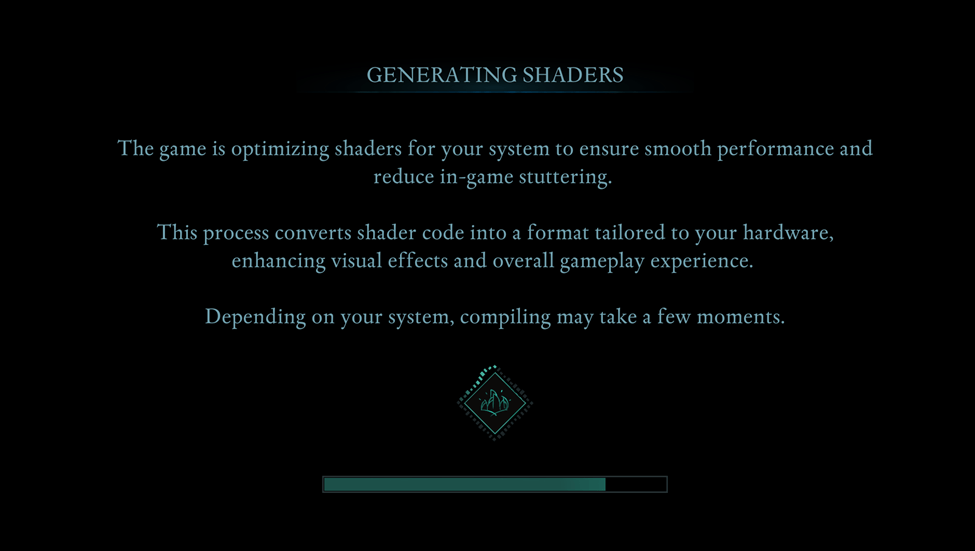
A system between minimum and recommended specs should provide a decent gameplay experience. High-resolution, high refresh rate displays, however, demand a more powerful system. Remember to let the game generate shaders uninterrupted on your first run for optimal performance.
Optimizing Basic Graphics Settings
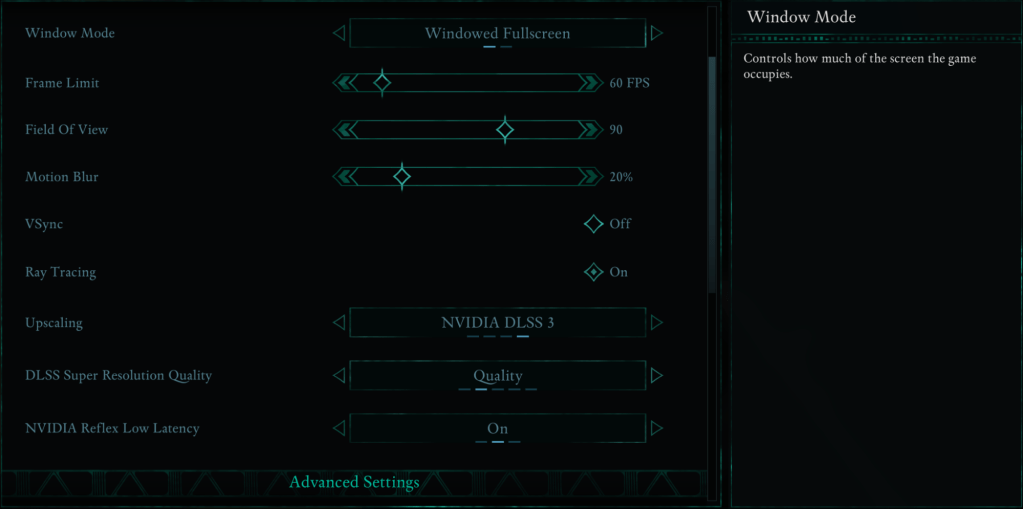
These settings significantly impact gameplay:
- Resolution: Use your monitor's native resolution for optimal clarity.
- Window Mode: "Windowed Fullscreen" offers easy application switching. "Fullscreen Exclusive" minimizes input lag.
- Frame Limit: Limit frames to stabilize performance, especially on weaker systems. Match your monitor's refresh rate or use 60 FPS as a good compromise.
- VSync: Disable to reduce input lag; enable if you experience screen tearing.
- Field of View: Around 90 degrees provides a balanced perspective.
- Motion Blur: Disable for a clearer image, particularly during fast-paced action.
Advanced Graphics Settings
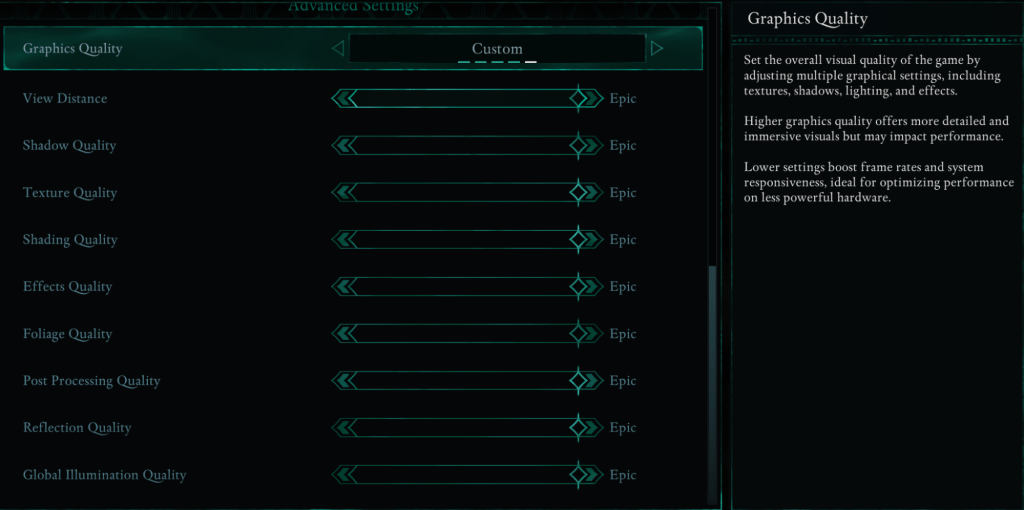
These settings control visual detail and performance. Lowering certain settings can dramatically improve FPS without significantly impacting visuals.
| **View Distance** | Affects how far objects render. Higher settings improve detail but reduce FPS. |
| **Shadow Quality** | A major performance factor. Lowering this greatly improves FPS. |
| **Texture Quality** | Determines surface detail. Higher settings require more VRAM. |
| **Shading Quality** | Impacts lighting depth. Lowering improves performance at the cost of realism. |
| **Effects Quality** | Controls visual effects (fire, magic, etc.). Higher settings look better but demand more GPU power. |
| **Foliage Quality** | Determines grass and tree density. Lowering improves FPS. |
| **Post Processing Quality** | Enhances visuals with effects like bloom and blur. Reducing saves performance. |
| **Reflection Quality** | Impacts water and surface reflections. High settings look great but significantly impact FPS. |
| **Global Illumination Quality** | Controls realistic lighting. High settings enhance atmosphere but cost performance. |
Best Settings for Different PC Builds
Best Settings for Minimum Requirement PCs
For PCs meeting minimum requirements (GTX 1070/RX 5700, Ryzen 5 2600/i5-8400, 16GB RAM), aim for 60 FPS with acceptable visuals:
- Graphics Quality: Custom (Balanced between Low and Medium).
- View Distance: Medium
- Shadow Quality: Low
- Texture Quality: Medium
- Shading Quality: Low
- Effects Quality: Medium
- Foliage Quality: Low
- Post Processing Quality: Low
- Reflection Quality: Low
- Global Illumination Quality: Low
Best Settings for Recommended Requirement PCs
For PCs meeting recommended requirements (RTX 3080/RX 6800 XT, Ryzen 5 5600X/i7-10700K, 16GB RAM), aim for a balance of performance and visuals:
- Graphics Quality: Custom (Mix of High and Epic).
- View Distance: High
- Shadow Quality: Medium
- Texture Quality: High
- Shading Quality: High
- Effects Quality: High
- Foliage Quality: High
- Post Processing Quality: High
- Reflection Quality: Medium
- Global Illumination Quality: High
High-end PCs can utilize "Epic" settings for maximum visual fidelity and FPS.
Consider exploring the best *Avowed* mods to further enhance your experience.
*Avowed* is available now for PC and Xbox Series X|S.
 Latest Articles









 Latest Games